Loan Payment Schedule Builder
Exceeding customer expectations with a flexible amortization schedule builder.
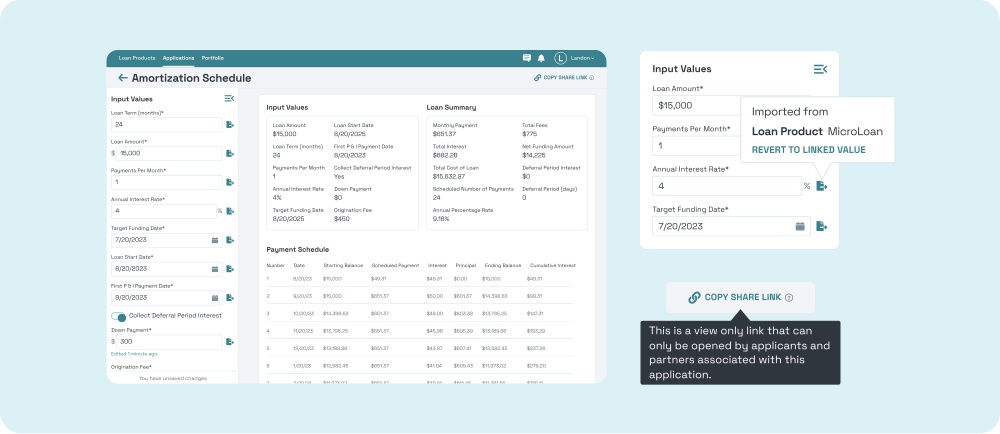
Dates
Q3 2023, 2 Months
Role
UX/UI Designer, UX Researcher
Stakeholders
Product/Co-founder, Sales/Co-founder, Engineers, Customers
Tools
Figma, FigJam, Google Drive, Google Meet
A Payment schedule builder that allows lenders to create more accurate payment schedules in less time.
Context
Presta is an early stage start up creating end-to-end lending software for community based lenders. Currently lenders manually copy/paste data across a bunch of software tools during the lending process which leads to typos and wasted time. This case study is about how we added payment schedules to Presta.
Impact
Saves time and increases data accuracy for customers with pre-populated fields
Enabled sales team to advertise this desired feature, leading to a more robust pipeline
Exceeded customer expectations based on user feedback
Systematic thinking allowed us to use this feature again in servicing
Problem
Lenders constantly copy/paste ✂️📋 data into off-platform amortization schedule builders, which leads to typos 🚫 and wasted time. ⏱️
Lenders review the schedule with borrowers by downloading and emailing 📥 the latest PDF version, which makes it harder to find 🔎 the correct schedule and leads to less iteration. 🔁

"Doing everything in Excel made sense at the beginning, but 25 years later this is really cumbersome. We are one keystroke or extra zero away from having an incorrect amortization schedule.”
- VP of Commercial Lending

"Because of how time consuming this has been, we only give amortization schedules to borrowers after we book the loan. We’ve had instances where after we booked the loan, the borrower looked at the schedule and said they can’t do this."
- TMC Community Capital
Less iteration during the process leads to costly rework at the end or worse, total loss of the loan.
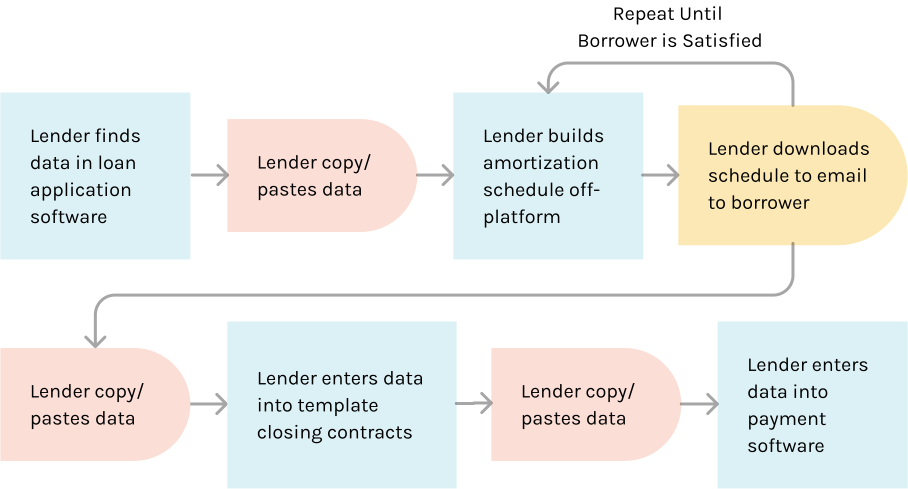
Flow chart illustrating the time consuming process of manually sharing data across multiple tools.
Solution
We built plug-and-play AM schedule templates that come pre-filled with default values and data collected earlier in the app. This saves lenders time and increases accuracy by removing the need to copy/paste information into the Am schedule. The design also allows lenders to quickly test different numbers in the AM schedule and share it with borrowers.

“It’s super smooth, I was not even expecting it to be this smooth. Like this is crazy, it’s incredible.”
- Tanner, Closing Specialist

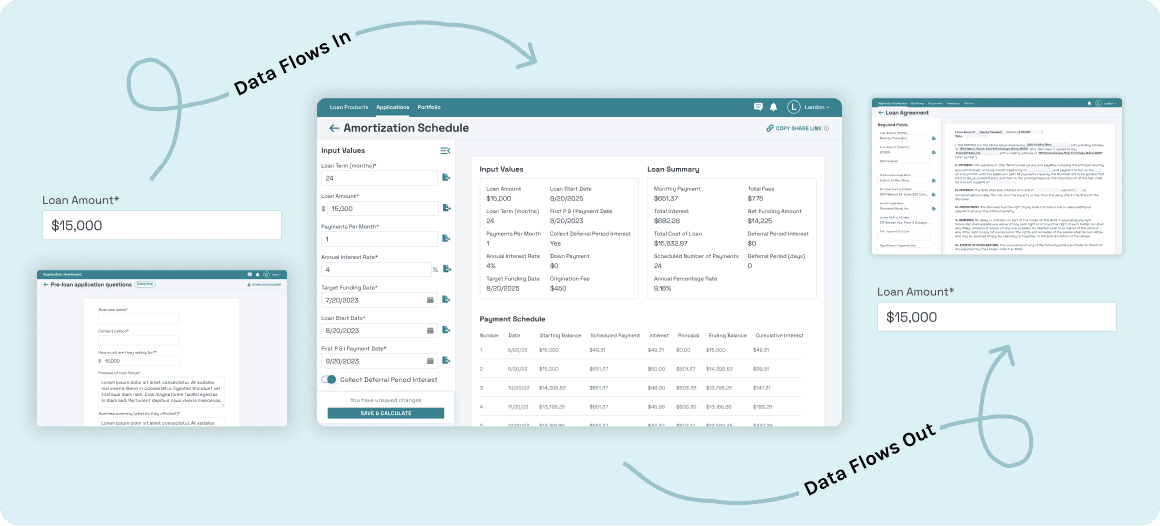
Data Flows In
AM Schedules are pre-populated with fields and default values
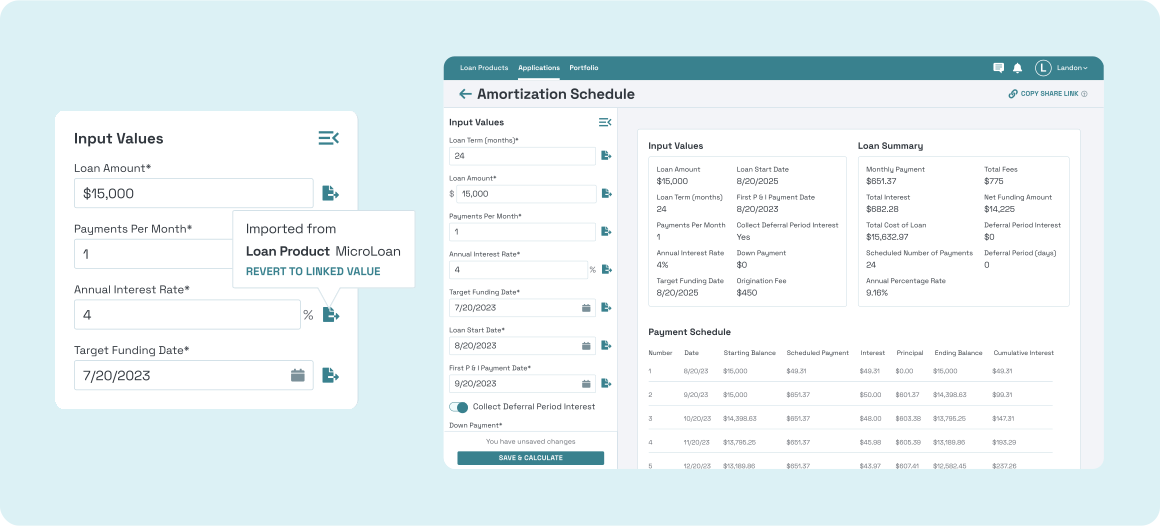
Linked fields come pre-populated with data collected earlier in the application. The left panel comes almost entirely filled in with linked fields and default values, then the lenders can tweak the numbers from there.
Data Flows Out
Contracts & booking steps are pre-populated with AM schedule data
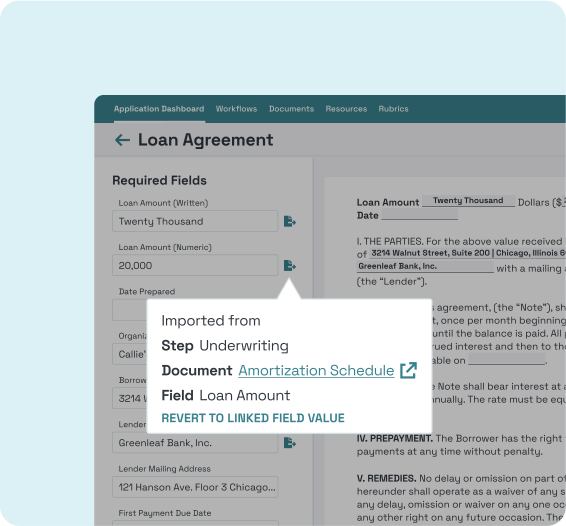
Contracts come pre-populated with linked fields that are pulled in from previously completed documents.
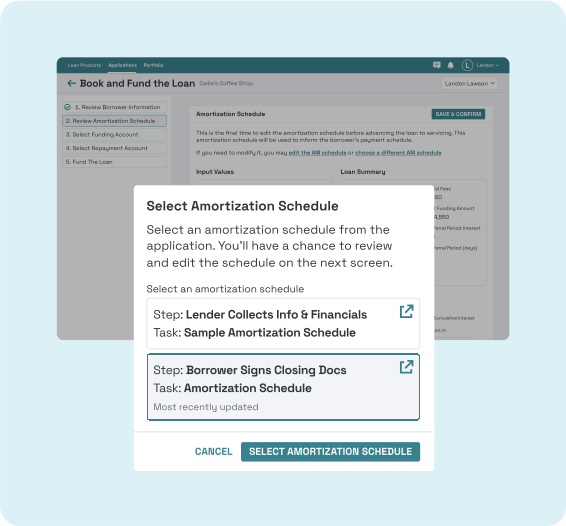
When lenders book the loan, they can select which AM schedule they’d like to use during the payment process.
Copy Link to Share the AM Schedule with Borrowers
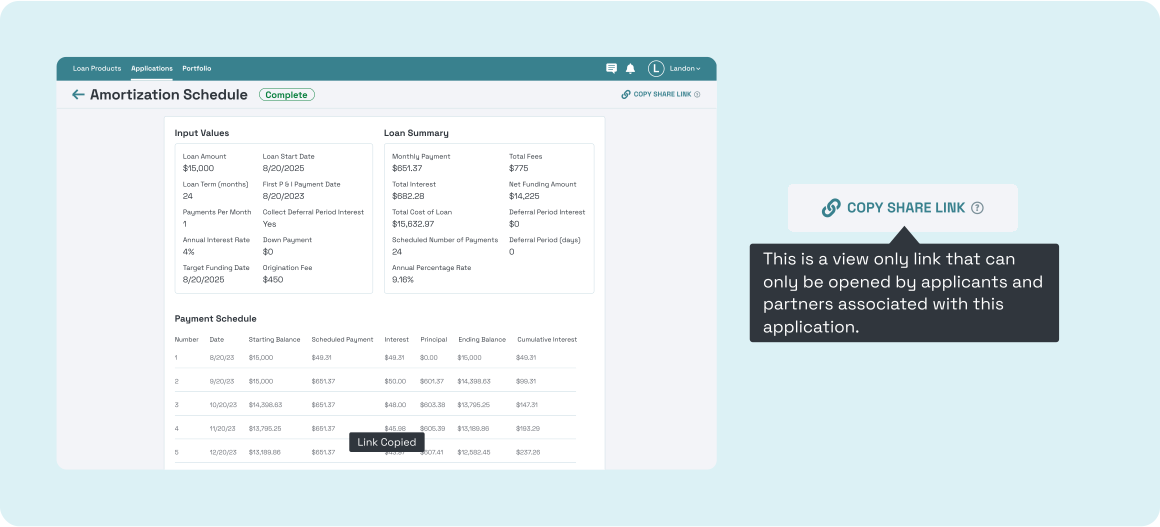
Lenders can share a view only link to the AM schedule with borrowers instead of emailing PDFs. This keeps borrowers on platform and prevents confusion around which AM schedule is the correct version.
Initial Lo-Fis
Sketched Lo-Fis with the Product Team
The product team (the co-founders) and I had an hour long lo-fi drawing session. We started by referencing the existing process and tools lenders use to build AM schedules, then we set a timer and each of us drew lo-fis based on the required user flows.
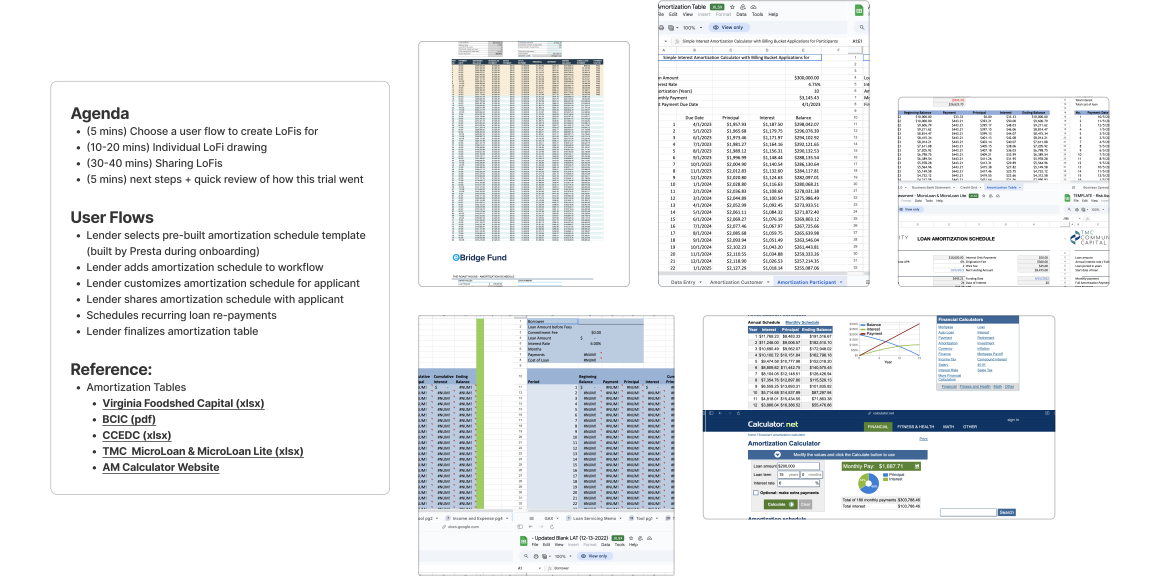
Our meeting agenda and a sampling of AM schedule tools our customers used. They either use custom excel sheets or a free AM schedule calculator website.
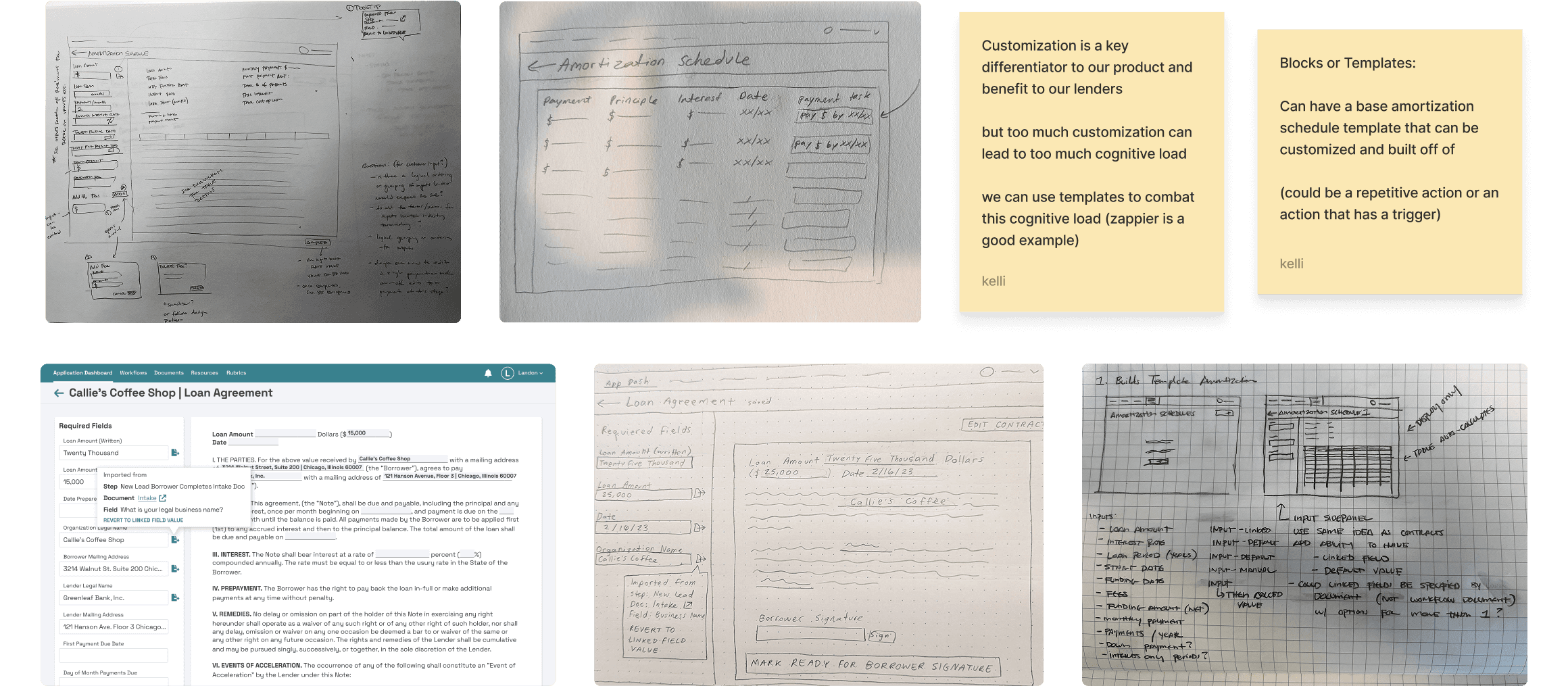
A sampling of our lo-fi drawings inspired by existing linked field designs used in Presta’s contracts as well as a few sticky notes highlighting trade-offs.
Engineering Considerations
Key Design Decisions Made to Keep Engineering Scope Low, While Still Meeting Customer Needs
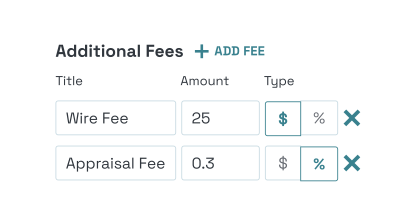
Templates Over Customization
We debated on whether to allow users to custom build AM schedules like they do in excel or offer a rigid template like the AM calculator website. We decided to start with a template that allows for custom fees, because fees varied the most across our customers’ AM schedules.
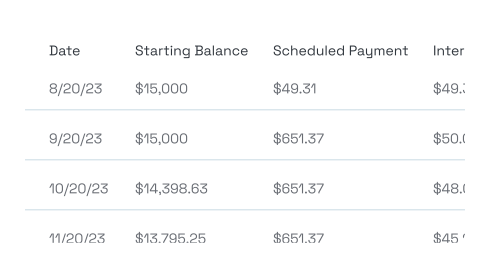
Design For Reuse During Payment Processing
We knew we would use these payment schedules later on when borrowers actually started making payments. We designed the payment schedule builder in a way that we could use the same design for payment schedules in use.
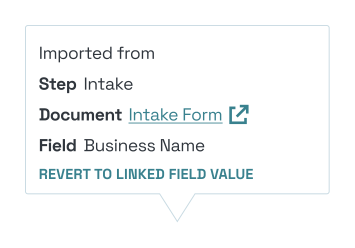
Leveraging Existing Linked Field Designs
We built off of our existing linked field designs that we use in contracts in order to keep the design consistent across the app. We plan to continue to use this design as linked fields become increasingly used throughout Presta.

Share Links Over Downloadable PDFs
We built off of our existing linked field designs that we use in contracts in order to keep the design consistent across the app.
User Research
Conducted 4 User Interviews: Deciphered User Needs From User Wants
I lead 4 user interviews with our existing customers. I screen shared a demo of what the AM schedules might look like to ensure we hit the requirements our customers need and hear if they think anything is missing.
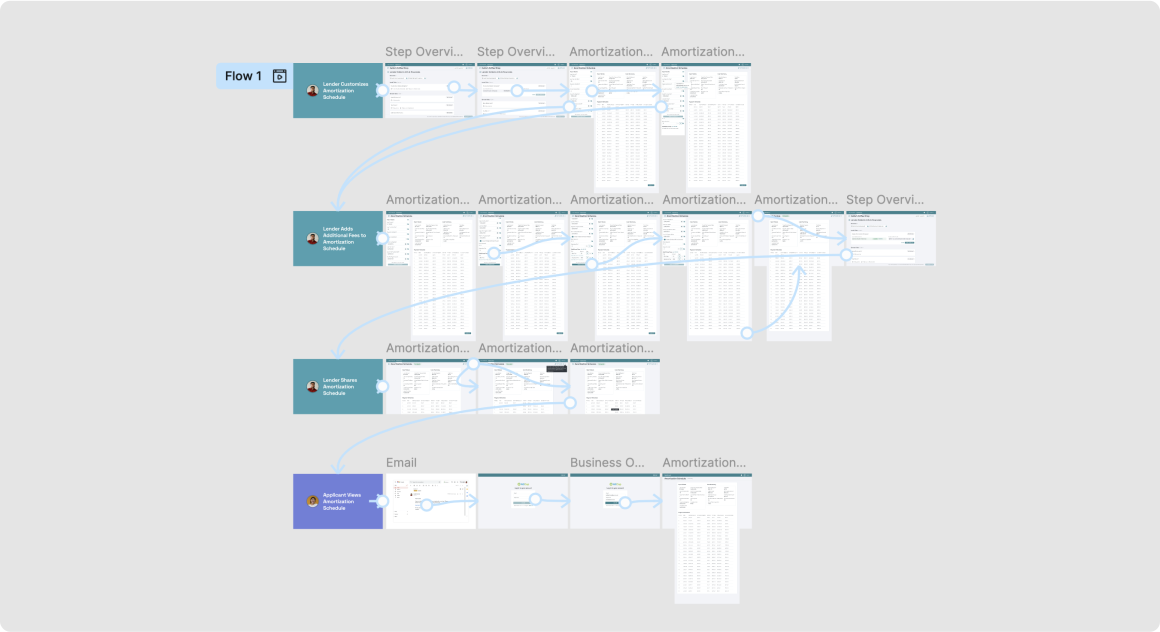
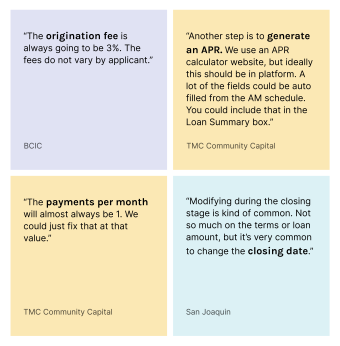
NEED: Users detail how data should auto-flow in and out of AM schedules
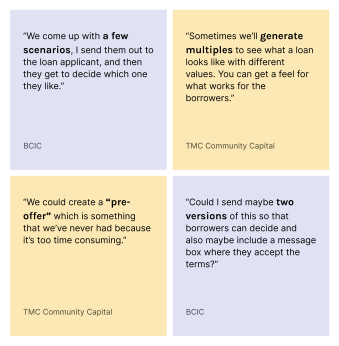
NEED: Users want to create multiple AM schedules to test with borrowers
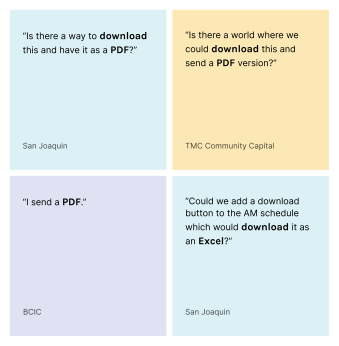
WANT: Users like the share link, but still want to download AM schedule PDFs
Engineer Feedback
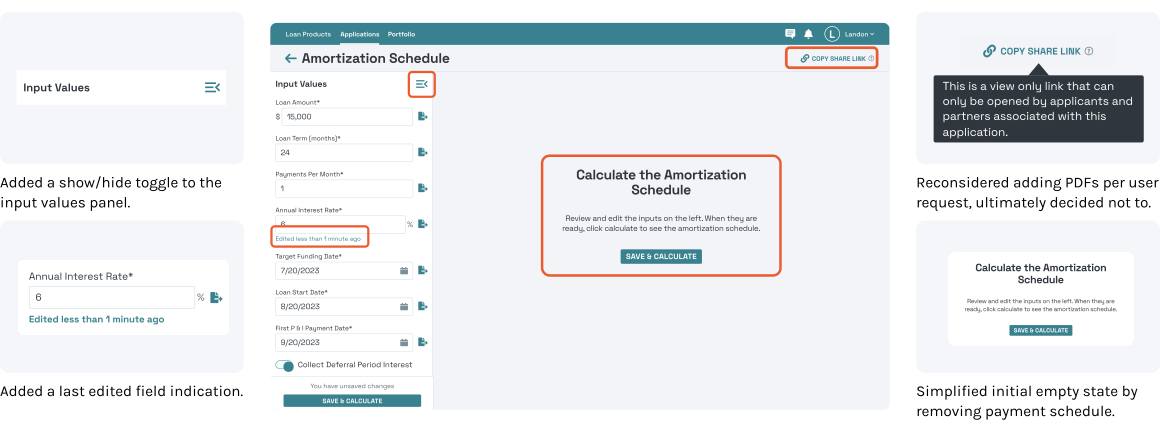
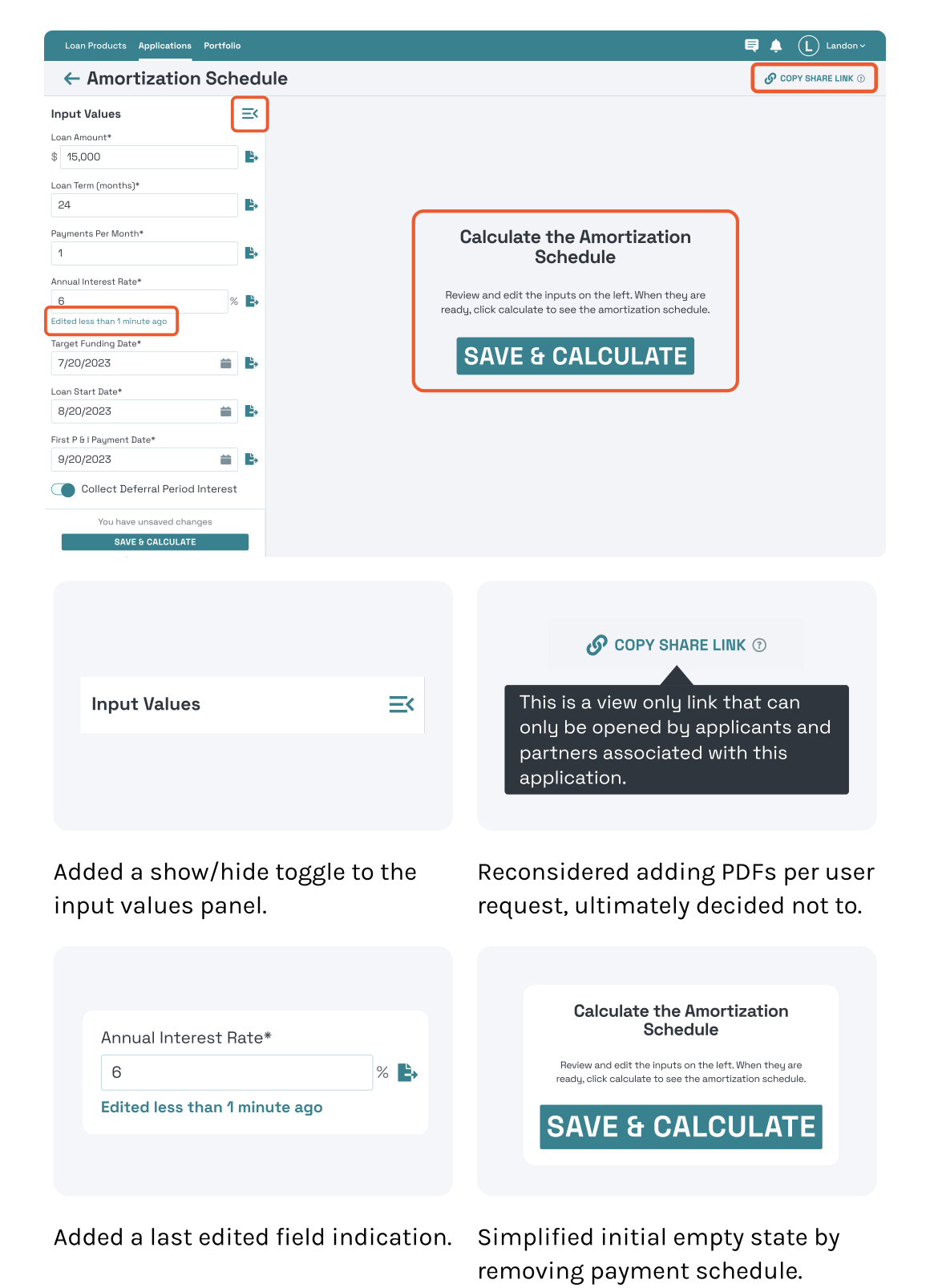
Adding Low Lift Enhancements
After the initial hi-fi designs were drafted, I lead 2 review sessions in which I shared the initial context, shared the designs, and requested feedback with the engineering team. Together we added the following features to the designs.
User Testing
We captured user session recordings via HotJar to monitor how users interact with this feature in the real world. These heat maps show a summary of where users click and move their mouse most over the course of a year (May 2024-May 2025).
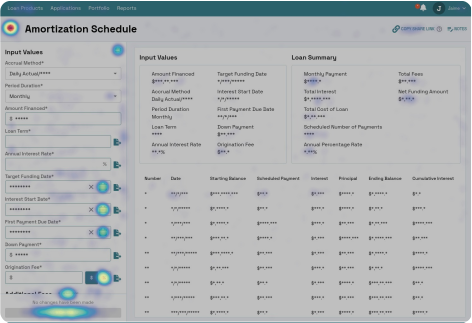
Heat map showing user clicks.
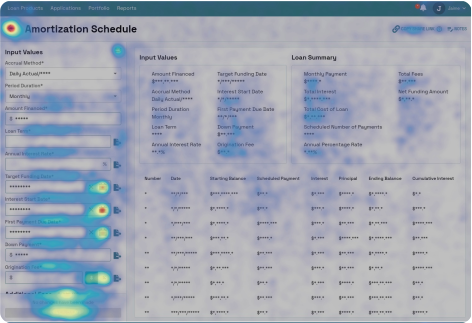
Heat map showing user mouse movement.
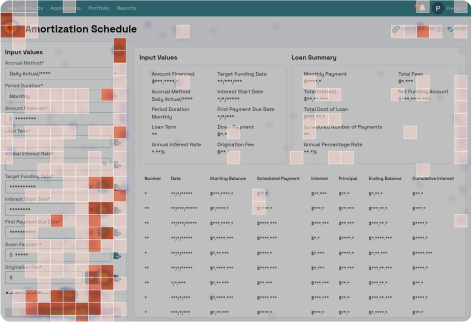
Heat map showing user engagement zones. (The zones users engage with the most, calculated by combining click, move, and scroll data.)
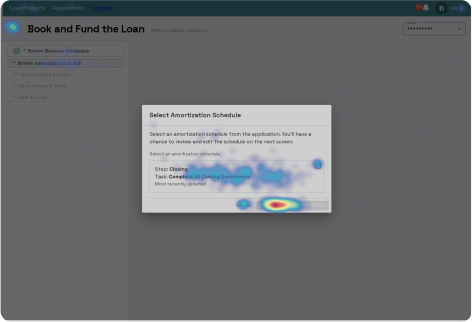
Heat map showing users selecting the AM schedule they want to use for processing payments during the booking step.
Impact
Lenders Create Higher Quality AM Schedules Faster, Leading to More Profit for Lenders and Presta
*Contributes to
2.5x Faster Lending Speed
Why This Matters?
Lenders (and Presta) earn a percentage of each loan, so the more loans they provide, the more money they earn (as long as the borrower can pay the loan back in full). This feature saves lenders time and increases data accuracy, allowing lenders to increase their overall lending volume.
More importantly, it helps more small business owners get access to the capital they need!
AM Schedules are Featured as a Selling Point
An intuitive AM schedule builder built directly into our product became a key selling point that proves to our potential customers that Presta truly is end-to-end and we understand their pain points. It is also a long awaited feature our existing customers were excited to use.
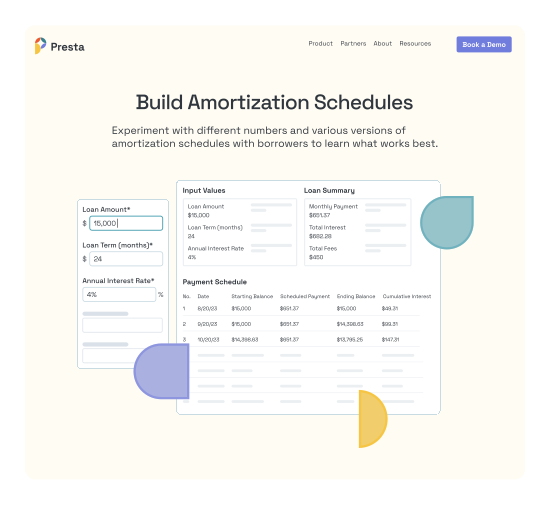
Presta Website featured AM Schedules as a selling point.
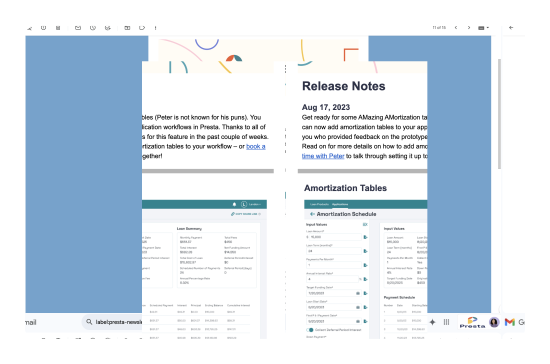
Presta’s release notes highlighted “AMazing AMmortization Schedules” to customers who anticipated the feature.
Learnings
Listening to what users want is misleading. After watching their behavior, turns out they did not create multiple AM schedules nor did they need PDF downloads.
Linked field info buttons are large and stand out, but users do not click them often, if revisiting the design I would make those buttons less prominent
The mouse moves heat map indicates which fields users look at most often, I would reorder the fields so the most viewed ones come first
Heat map showing list of all AM schedules in a loan. Lenders always only have one AM schedule in the list.
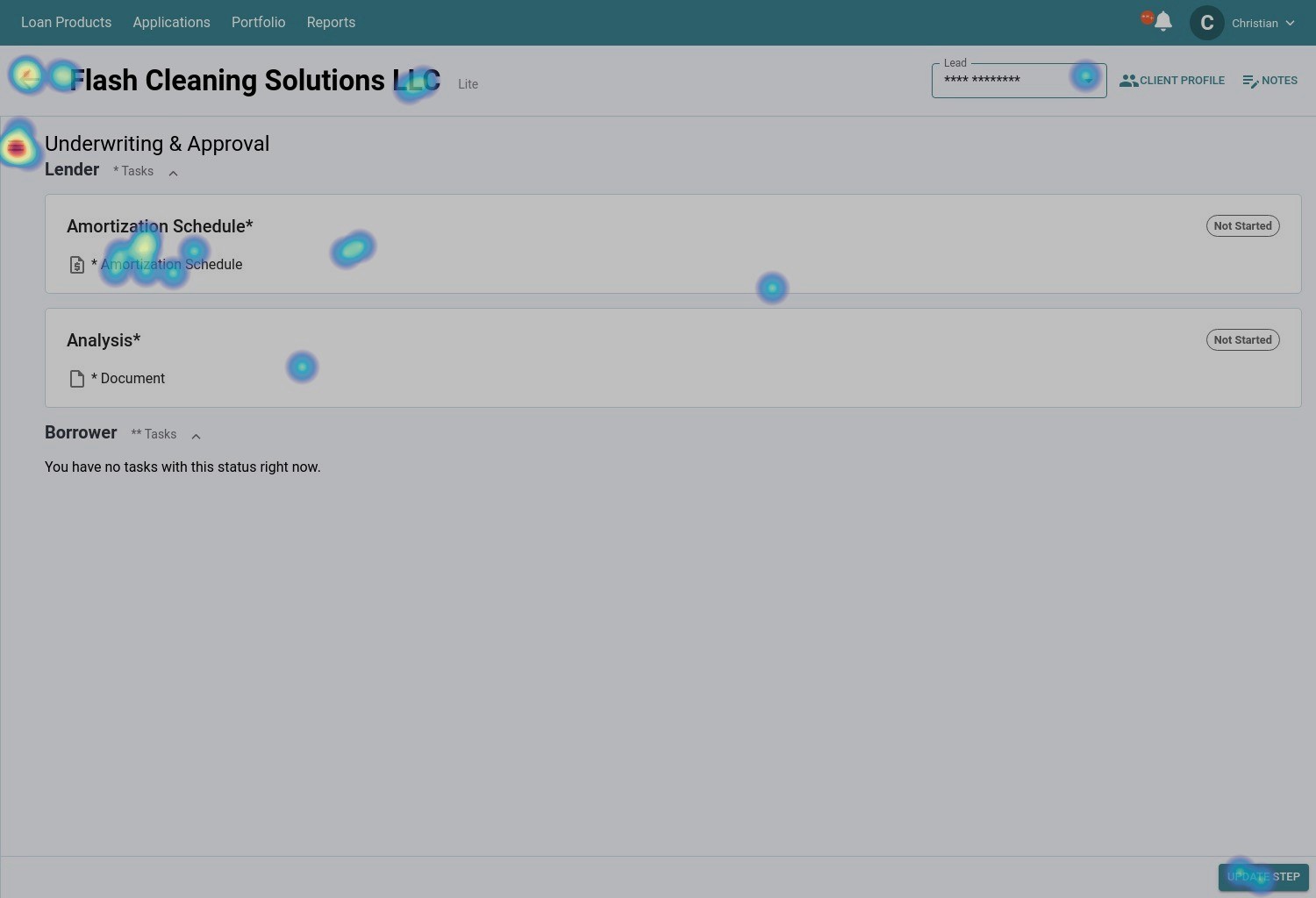
Heat map showing users click to edit the same AM schedule multiple times.